Free · offline · no account
Group bills, split fairly. Free forever.
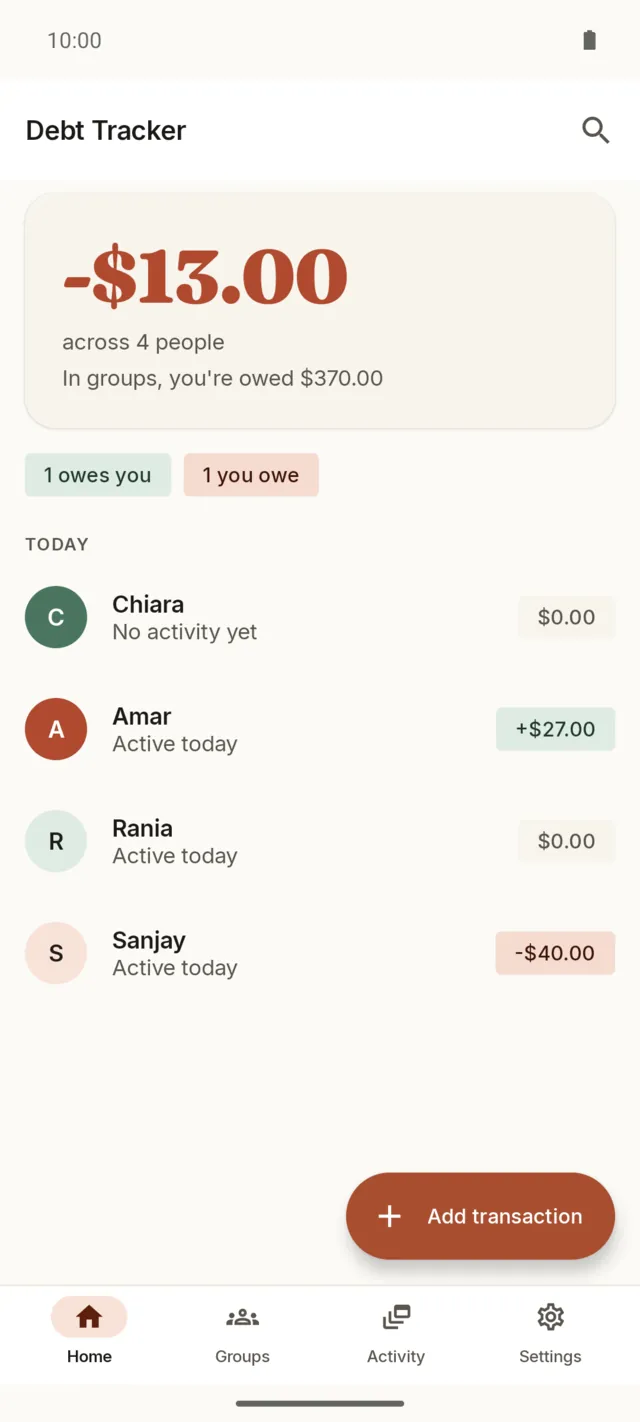
Debt Tracker splits rent, trips, and everyday IOUs with the people you share costs with. No account, no ads. The ledger lives on your phone, and a shared group lets everyone add from their own.
The short version
The things you won't deal with
No account
No sign-up, no email, no password. Open the app and add your first person.
No ads
Nothing sits between you and the numbers.
No daily limit
Add as many transactions in a day as the day needs.
No Pro tier
Every feature is here at $0, including shared groups and recurring charges.
No internet permission
The app never requests it, so it can't send your data anywhere. Android's app info confirms it.
No lock-in
Backups write to a folder you own and outlast the app itself.
How it works
Add, split, pay off
Add the people
Add a person for each roommate, partner, or friend you share costs with. They don't need the app. If they have it, you can share a group with them later.
Record a transaction
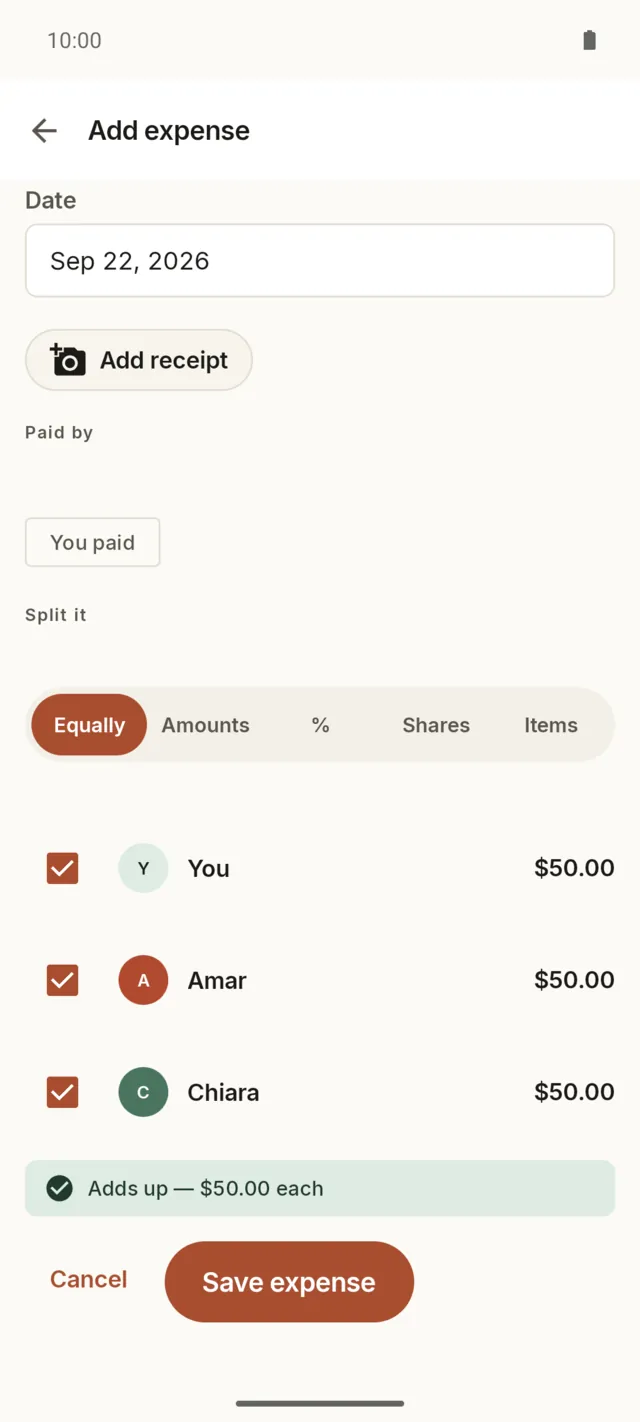
Enter who paid and how to split it: equally, by amount, by percentage, by shares, or line by line.
Pay off when you're ready
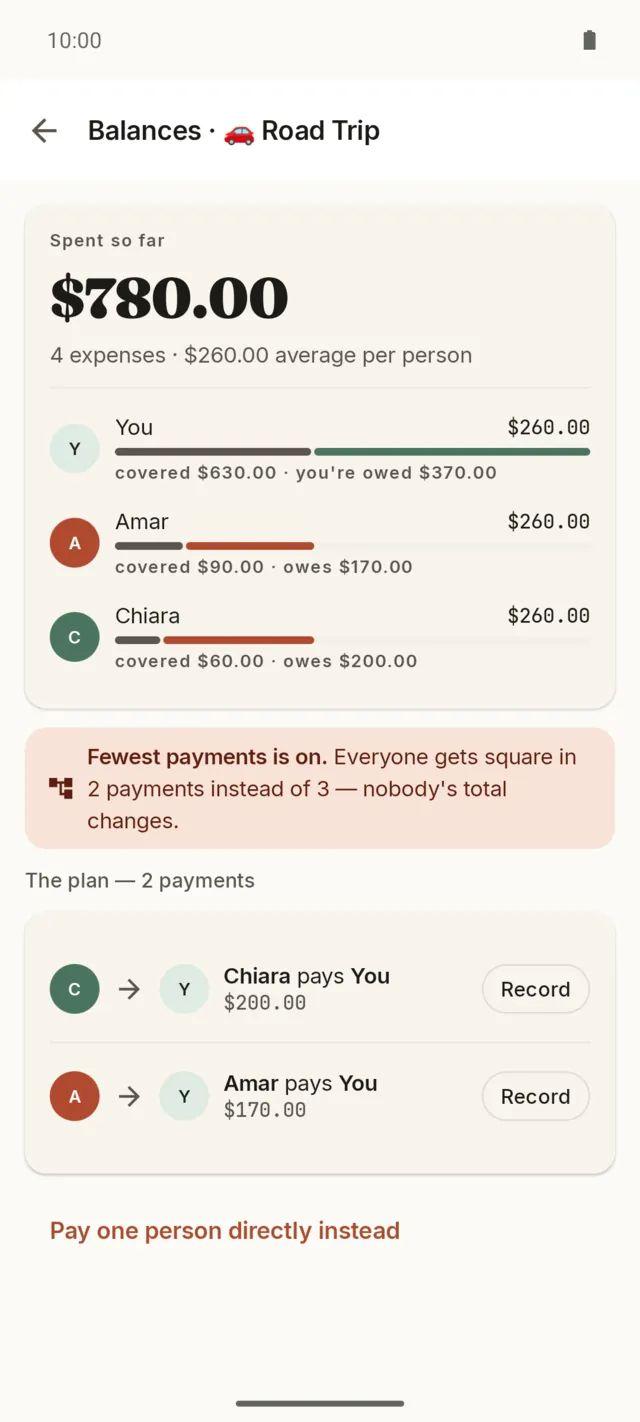
See who owes whom, then pay it off in the fewest payments. Balances clear and everyone's all square.
Shared groups
Everyone adds from their own phone
Share a group as a file and each person logs expenses on their own phone. When a file comes back, the app merges it. There's no account and no server, and the app still has no internet permission.
Share the group
Tap Share on a group and pick an app: Quick Share, a messenger, or email. The group goes as one small file.
They join on their phone
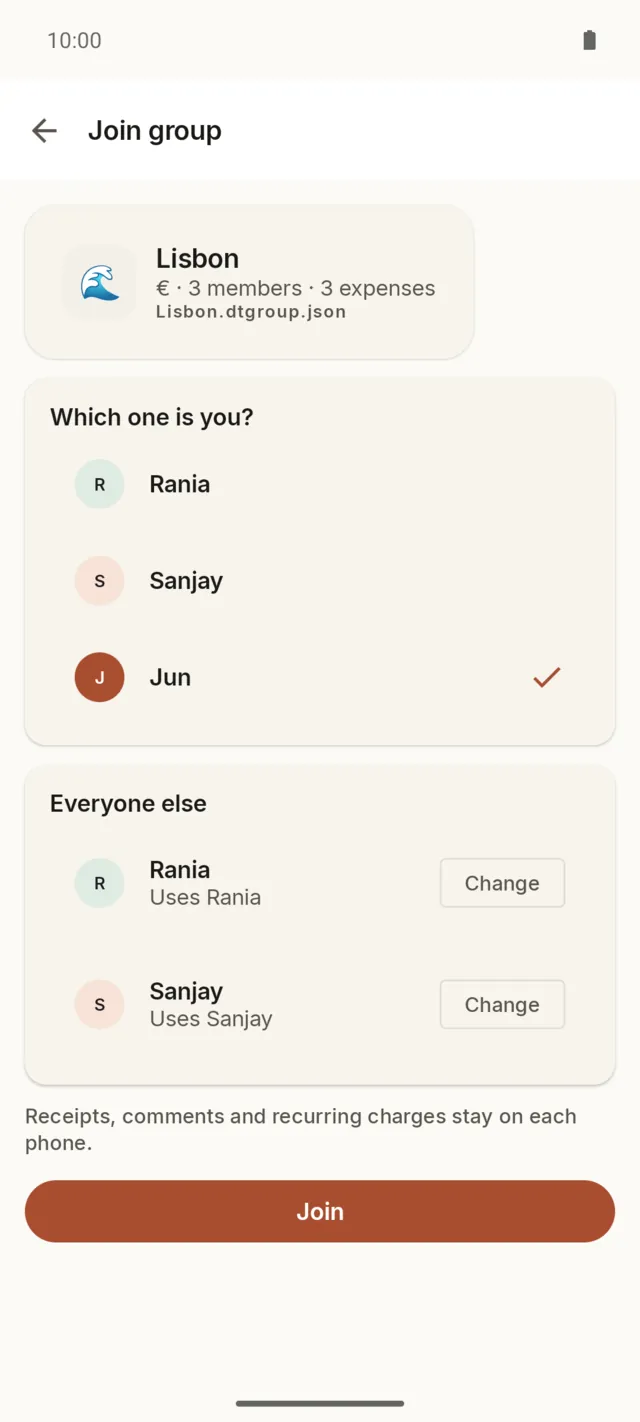
Opening the file shows the group and who's in it. They pick which one is them and match the rest to people they already have.
Send it back after adding
Anyone can add or edit expenses and share the group again. Whoever opens that file merges it into their copy.
Merge in any order
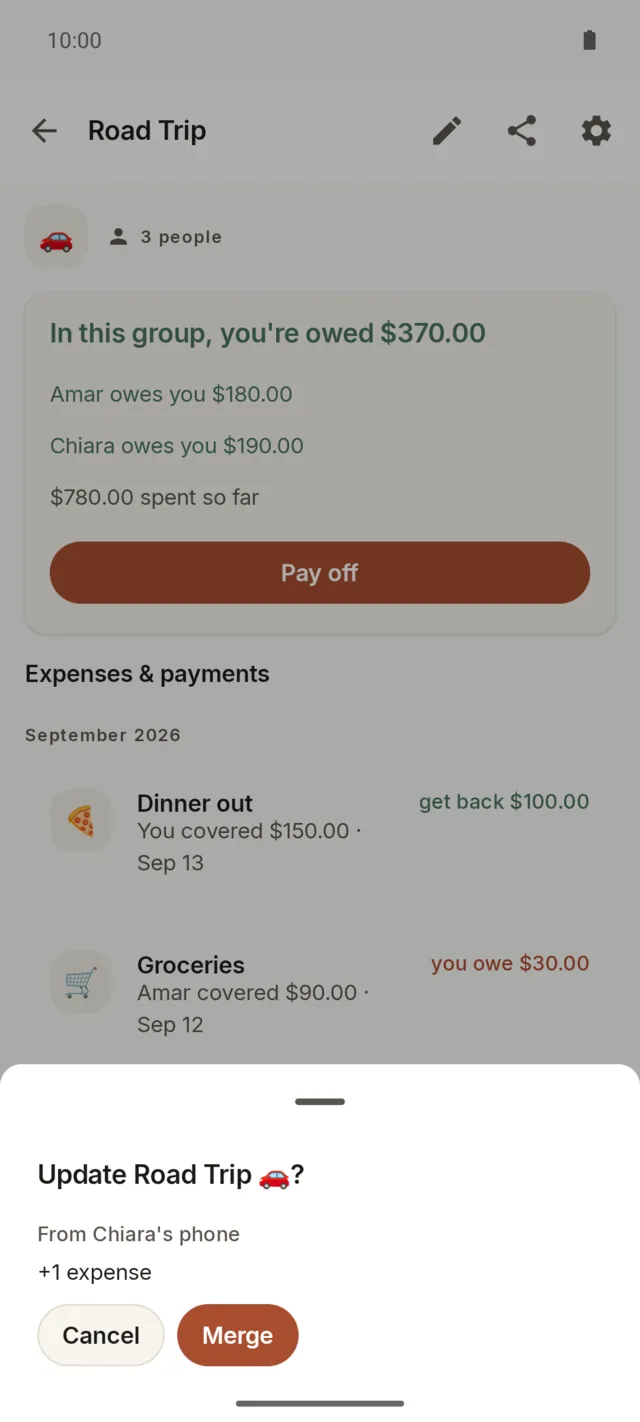
A newer file shows what it would change, such as one new expense, before you tap Merge. Files can arrive in any order, and opening the same file twice adds nothing. If two phones change the same expense, the newer amount and split win together, and a description or date changed on the other phone is kept too.
Already logged the trip?
If you kept the same group by hand before anyone shared it, the app pairs the matching expenses and merges the file into the group you have.
What stays on your phone
Receipt photos, comments and recurring charges never go into the file. A merge never renames the people on your phone.
Carried by apps you pick
Debt Tracker hands the file to Android's share sheet. Whatever app you choose carries it; the app itself never opens a connection.
Features
What it does
The tools you'd reach for in a cloud bill-splitter, without the account or the cloud.
Five ways to split
Split equally, by exact amounts, by percentage, by shares, or item by item. More than one person can pay for a single transaction, and the running total tells you when the split adds up.
Spent so far, then the fewest payments
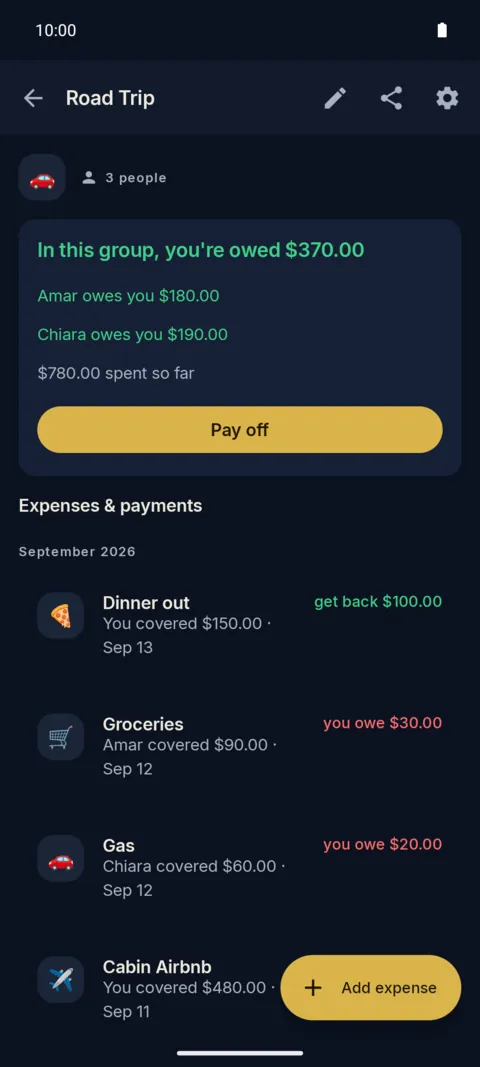
The pay-off screen opens with what the group has spent: the total, the average per person, and what each person covered against their share. Below it, Debt Tracker works out the shortest set of payments that gets everyone even. Three people can be square in two payments instead of three, and nobody's total changes.
Groups
Make a group for a trip or a household, and share it so everyone adds from their own phone. Balances roll up per group or across everyone.
Recurring charges
Set rent or a shared subscription to repeat. It posts on schedule, at no cost.
Local backups
Automatic backups to a folder you pick. They survive an uninstall and a new phone.
Activity and search
A running feed of every change, with search and monthly totals.
34 currencies
Set one globally or per group. Yen, won, and đồng drop the decimals.
Categories and receipts
Tag a transaction, attach a receipt photo, and add a comment when it helps.
Edit, delete, undo
Tap any expense or payment to change or delete it. A debt or payment you just added can be undone from the note that confirms it.
Phones and tablets
Use it upright or sideways, on a phone, a tablet or a foldable. A half-typed amount stays put when the screen turns.
18 themes
Pick a look
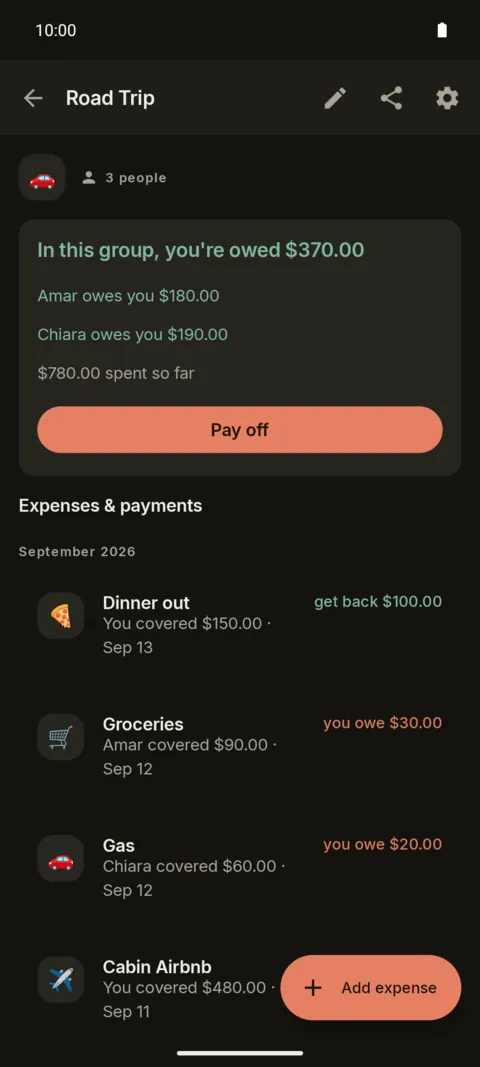
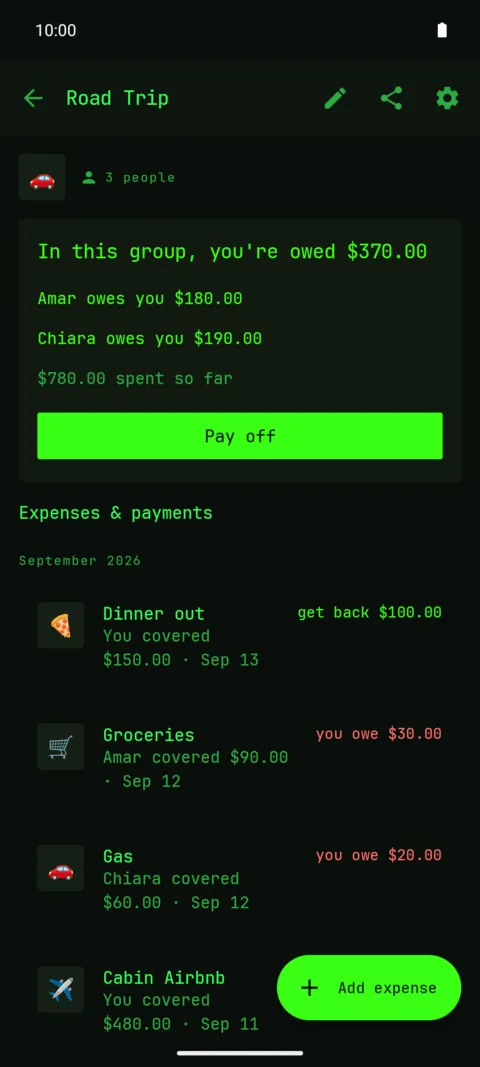
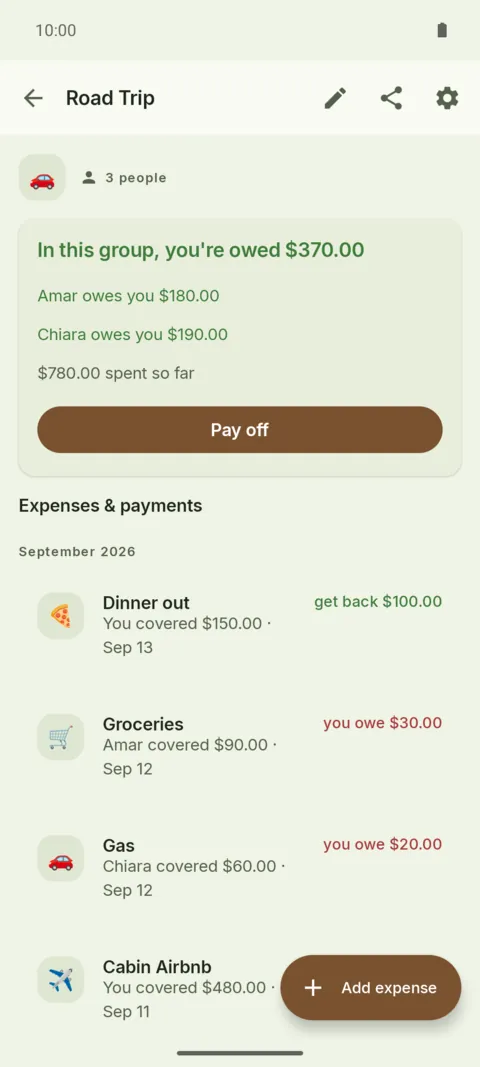
Eighteen themes in three groups: Everyday, Mood, and the Terminal look the app started out with. Pick one and the whole app follows.
Everyday
Mood
Terminal
Previewing Paper · pick a theme to recolor this card
vs competitors
Where it wins and loses
The best-known cloud bill-splitter tightened its free tier in late 2024: a daily cap on entries, a wait between them, banner ads, and a Pro tier at about $40 a year. Debt Tracker is one developer's answer for people who weren't getting much out of cloud sync anyway.
The trade-off: no live sync
A shared group moves between phones as a file, so each phone is as current as the last file it opened. Someone has to share the group after adding to it. If your household wants every entry on every phone the moment it's typed, a cloud bill-splitter with live sync is the better tool, and that's a fair reason to pick one.
Privacy
Nothing leaves your phone unless you send it
You don't have to trust a policy document. Every claim below is one you can check on your own phone.
No internet permission
The app doesn't request the INTERNET permission, and Android's app info shows it. No permission, no way to phone home.
No account, no server
Nothing to sign up for and no cloud to sync to. A shared group goes from phone to phone as a file you send, so no server ever holds a copy.
Backups you control
Automatic backups write to a folder you choose and survive an uninstall. Yours to keep or delete.
Open source
Debt Tracker is GPL-3.0 licensed, so the no-tracking claim is auditable. Source available.
Under the hood
How it's built
Debt Tracker is a native Android app written in Kotlin. It is not a web page in a wrapper, and there is no server behind it.
Kotlin and Jetpack Compose
The interface is Jetpack Compose styled with Material 3, so a screen is a Kotlin function instead of a layout file. One Activity and no navigation library: the app moves between composables.
Room, with atomic writes
The ledger is a Room database on the phone. A balance change and the transaction that caused it are written inside one @Transaction block, so a write that fails can never leave a balance half-moved.
MVVM and coroutines
ViewModels hold the state of a screen, a repository layer owns the data, and Kotlin coroutines keep the database work off the main thread. There is one ledger, not a copy per screen.
WorkManager runs the backups
A backup runs at launch and again on a daily WorkManager schedule. Retention keeps three daily copies, two weekly and one monthly, six files at most, and prunes the rest.
Backups you can reach
Backups go through Android's Storage Access Framework into the folder you grant, outside the app's own sandbox. That is the reason they survive an uninstall and move to a new phone.
No network layer
The app never declares the INTERNET permission, so Android will not open a socket for it. A shared group leaves only as a file handed to another app through the share sheet, and the operating system enforces the rest.
Merging without a server
Each shared row carries a random ID and its own edit times. A merge joins rows by ID. An expense's amount and split change together on the newer edit, while its description, category and date each keep their newest value. Deletes travel as tombstones, so a deleted row stays deleted.
One file, checked on arrival
A group travels as a .dtgroup.json file of 8 MiB at most. The parser refuses backups, newer formats and broken JSON, one named reason each. A test runs three in-memory phones through the real repository and checks they end with the same ledger.
And this page
The site you are reading is generated by a small Rust program (Leptos, rendered to strings at build time) and served as flat HTML by nginx. No framework ships to your browser. The only JavaScript is two files, 89 lines together: one applies your saved light or dark choice before the first paint, the other runs the light/dark toggle and the theme swatches.
FAQ
Questions
Is it really free?
Yes. No Pro tier, no in-app purchases, no daily limit. Every split mode, shared groups and recurring charges are included.
How is it free? What's the catch?
There's no server to run and no ads to place, so there's little to pay for. It's a one-person app, built the way its author wanted a bill-splitter to work.
Do I need an account?
No. There's no sign-up and no email. The people you split with are just names you add.
Does it work offline?
Always. The app never goes online, so you'll never see "couldn't reach server." On a plane or off the grid, it behaves the same.
Can everyone add from their own phone?
Yes. Share the group as a file. Each person adds on their own phone and shares it back, and the app merges whatever arrives, in any order. There's no live sync, so a change reaches the others when someone shares the group again.
What's in a shared group file?
The group's name and note, its members, and its expenses and payments. Receipt photos, comments and recurring charges stay on each phone. The file goes only where you send it.
What happens to my data if I uninstall?
Automatic backups live in a folder you chose, so they outlast the app. Reinstall and restore from the same folder.
Which currencies does it support?
Thirty-four, set globally or per group. There's no automatic conversion, by design: a group stays in one currency.
Is it open source?
Yes, under GPL-3.0. Source available.
Is there an iOS version?
No. Debt Tracker is Android only, 8.0 and up, on phones and tablets. Everyone in a shared group needs an Android device to open the file.
Start tracking who owes what
Free on Google Play. No account, no ads, and it stays on your phone.
Get it onGoogle Play